AI Crawler Checker: Can AI Bots Access Your Website?
An AI crawler can appear to be allowed in robots.txt and still receive a block page from your CDN. It can fetch the HTML but miss content rendered only after a complex browser interaction. It can reach the page but encounter noindex, an incorrect canonical, or a login wall.
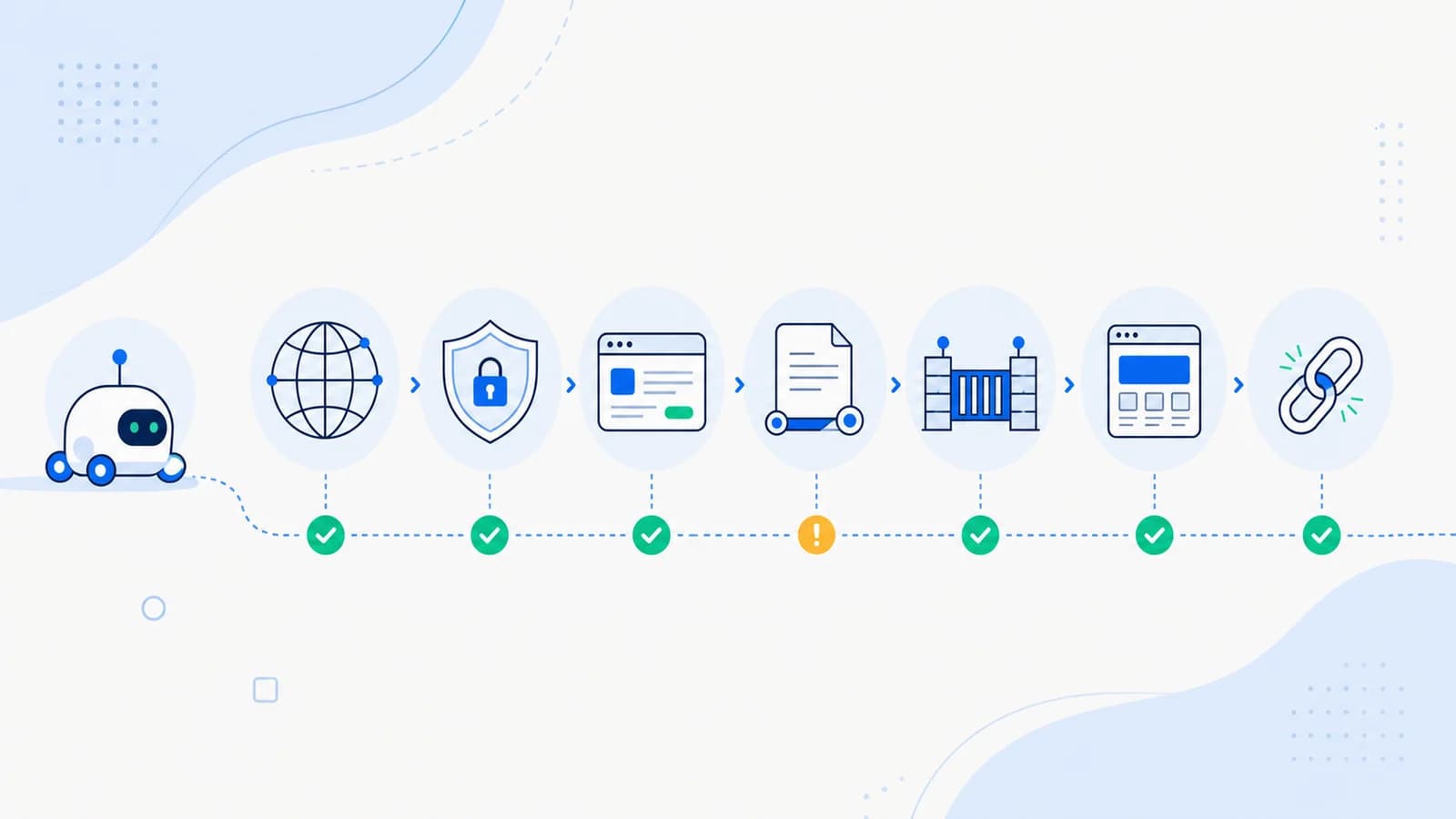
That is why a useful AI crawler checker must test more than one file. It should follow the full request path from DNS and HTTP through crawl policy, security controls, page content, and indexing signals.
This guide shows how to audit that path for ChatGPT search, Perplexity, and other AI-driven products.
First, identify the type of bot
"AI crawler" is not one category. Providers can use different agents for different purposes.
Search or discovery crawlers
These retrieve pages for a search experience and potential citations. OpenAI identifies OAI-SearchBot for search discovery.
Model-development crawlers
These may retrieve content for potential use in model improvement or training. OpenAI documents GPTBot separately from its search crawler.
User-initiated fetchers
These act when a user asks a product to visit a URL or perform an action. Perplexity distinguishes Perplexity-User from PerplexityBot, its search-index crawler. User-initiated agents may not behave like conventional background crawlers.
Third-party and unidentified bots
Many user agents contain "AI" or imitate a known provider. A name in a log is not proof of identity. Use the provider's published verification method, such as documented IP ranges and reverse/forward DNS checks, where available.
Decide which purposes you want to allow before changing a global rule.
The seven layers an AI crawler checker should test
1. DNS, TLS, and network reachability
The domain must resolve consistently, present a valid certificate, and accept connections from the public internet.
Check:
- IPv4 and IPv6 results;
- certificate hostname and expiry;
- redirect behavior between HTTP, HTTPS,
www, and the canonical host; - timeouts and geographic restrictions;
- origin or load-balancer failures.
A browser session from your office does not prove that a crawler network can connect.
2. HTTP response
Request the exact canonical URL without cookies or a logged-in session.
Useful checks include:
curl -I https://example.com/
curl -L -o /dev/null -s -w "%{http_code} %{url_effective}\n" https://example.com/
Important public pages should normally return HTTP 200 after a short, stable redirect chain.
Watch for:
401or403authorization failures;429rate limiting;503bot challenges or overloaded origins;- soft 404 pages that return
200; - redirect loops;
- consent or region pages that replace the main content.
Testing with a user agent string can reveal a rule, but it does not reproduce the provider's real network identity:
curl -A "OAI-SearchBot" -I https://example.com/
Treat this as a diagnostic clue, not definitive verification.
3. robots.txt policy
Open:
https://example.com/robots.txt
Find the group for the exact crawler and the wildcard group. The most specific applicable user-agent group and path rules determine the declared policy.
For ChatGPT search visibility, OpenAI's publisher guidance says OAI-SearchBot should not be blocked. The decision for GPTBot can be different because the agents serve different purposes.
Example of separating them:
User-agent: OAI-SearchBot
Allow: /

User-agent: GPTBot
Disallow: /
This example expresses a policy; it does not bypass a firewall or guarantee inclusion.
Check for:
- a global
Disallow: /; - rules inherited from a staging configuration;
- blocked CSS, JavaScript, API, or documentation paths;
- malformed groups;
- a robots file that redirects or returns an HTML error page;
- differences between the apex and
wwwhost.
4. CDN, WAF, and bot management
Security infrastructure can override the site's apparent crawl policy.
A crawler may be blocked by:
- managed bot-protection rules;
- JavaScript or CAPTCHA challenges;
- country restrictions;
- IP reputation;
- rate limits;
- hosting-provider anti-abuse controls;
- a custom rule matching an outdated user agent.
Cloudflare's AI Crawl Control can show AI crawler requests and declared robots violations, while WAF and bot controls enforce network access separately. Review both the reporting and the actual security rule that handled the request.
If a provider publishes verified IP ranges, use them carefully in allow rules. Do not allow arbitrary requests solely because they claim a familiar user agent.
5. Page-level indexing signals
Once the crawler can retrieve the response, inspect:
<meta name="robots">;X-Robots-Tagheaders;- canonical URL;
- language and
hreflang; - HTTP status;
- login and age gates;
- duplicate or empty templates.
OpenAI notes that a crawler must be able to access a page to observe noindex. If access is blocked entirely, the product cannot rely on that page-level directive.
A page can be crawlable but intentionally excluded from indexing. Report those as separate states.
6. Rendered and extractable content
AI retrieval systems do not all execute JavaScript in the same way. The initial HTML should contain the primary title, summary, navigation, and page content whenever practical.
Check whether:
- the main answer exists in server-rendered HTML;
- buttons and links have semantic labels;
- accordions hide all meaningful content until interaction;
- an API failure leaves an empty shell;
- essential text is drawn into canvas or an image;
- headings and tables preserve reading order;
- structured data matches visible text.
Good accessibility and semantic HTML also make content easier for automated agents to interpret.
7. Canonical source quality
Technical access is only the first gate. A retriever still needs a useful source.
The page should:
- answer a clear question directly;
- identify the organization, author, and date where relevant;
- distinguish current facts from historical information;
- cite original evidence;
- expose stable passage-level headings;
- link to supporting and primary sources;
- avoid conflicts with other pages on the same site.
An AI crawler checker should distinguish "accessible" from "likely useful."
A practical result matrix
| Result | Meaning | Recommended action |
|---|---|---|
| Allowed and reachable | Policy and network path permit access | Review content and logs |
| Allowed in robots, blocked by WAF | Declared policy conflicts with enforcement | Inspect CDN/security rules |
| Blocked in robots, reachable by spoofed curl | Server responds, but policy denies crawler | Update deliberate crawler policy |
Reachable, noindex | Fetch is possible; indexing is discouraged | Confirm page-level intent |
| HTTP 200, empty HTML | Browser may render content, basic fetch cannot | Improve server rendering or fallback |
| Redirect loop or challenge | Client cannot reach canonical content | Simplify redirects or verified-bot handling |
| Accessible but non-canonical | Retrieved URL points elsewhere | Test and expose the canonical URL |
How to use server logs
Logs provide evidence that an endpoint was requested. Capture:
- timestamp;
- requested URL;
- status code;
- response bytes and latency;
- user agent;
- source IP or verified identity result;
- CDN/WAF action;
- redirect target.
Do not publish raw IP addresses or query strings containing personal data. Define retention and access controls.
Separate verified crawlers from claimed user agents. Then compare their success rates, most requested pages, 403/429 responses, and repeated failures.
A repeatable AI crawler audit workflow
A one-time homepage check is not enough. Build a small test set that represents the ways content is actually delivered.
Include:
- the homepage;
- one evergreen article;
- one recently published page;
- one product, service, or documentation page;
- one JavaScript-heavy template;
- one localized page;
/robots.txt,/sitemap.xml, and/llms.txt;- one deliberately blocked private route as a negative control.
For every URL, record the anonymous status code, final URL, canonical, robots directives, response content type, WAF action, and whether the primary answer is present in the initial HTML. Testing a known blocked route confirms that the audit can detect a denial instead of reporting every result as accessible.
Run the workflow in this order:
- Resolve the canonical host and certificate.
- Fetch with a neutral user agent from outside the office network.
- Fetch with the provider's documented user agent as a diagnostic comparison.
- Evaluate the applicable robots group.
- Inspect CDN and origin logs for the same request window.
- Render the page without a saved browser session.
- Compare visible content, initial HTML, and structured data.
- Classify the result using the matrix above.
Save evidence with the audit date. A screenshot alone is insufficient because it does not preserve headers, redirects, or the security decision.
Site-wide access versus URL-level access
A crawler is not simply "allowed" or "blocked" for an entire domain. Rules can vary by path, host, locale, template, and response.
For example:
- the homepage may be open while
/docs/is blocked by an inherited rule; - the English site may return
200while a locale subfolder redirects to a consent page; - articles may be server rendered while product details require client-side API calls;
- the CDN may allow a crawler until a rate threshold is reached;
robots.txtmay permit a page whoseX-Robots-Tagsaysnoindex.
Report both a domain summary and URL-level findings. A useful summary might say: "Search crawler access is declared for the public site, but 3 of 12 tested templates fail at the WAF or rendering layer." That is more actionable than a single green check.
Continuous monitoring after the audit
Crawler access changes during ordinary releases. A security team enables a managed rule, a host modifies bot protection, or a staging robots file reaches production.
Schedule lightweight checks for:
- changes to crawler-specific robots groups;
- unexpected
401,403,429, and5xxresponses; - new challenge or interstitial HTML;
- canonical and
noindexchanges on priority pages; - disappearance of main content from the initial response;
- repeated verified-crawler failures;
- endpoint regressions for sitemap and llms files.
Alert only after a controlled retry. External sites and crawler networks can fail temporarily, so one timeout should not create an incident. Store the first error, retry after increasing intervals, and escalate when the failure repeats or affects multiple representative URLs.
Can ChatGPT crawl my website?
For search discovery, verify at least:
OAI-SearchBotis allowed by the intendedrobots.txtpolicy.- The CDN or WAF does not challenge verified requests.
- Important pages return HTTP 200 anonymously.
- Page-level directives permit the intended indexing behavior.
- Canonical pages contain useful content in a retrievable response.
- Server logs show whether requests succeed.
Allowing access does not guarantee crawling, indexing, an answer, or a citation.
Run the llmsmap.me site audit to check crawler policy alongside llms.txt, sitemap, structured data, Lighthouse, and other AI-readiness signals.
Frequently asked questions
Is changing robots.txt enough to allow AI crawlers?
No. CDN, WAF, authentication, HTTP errors, rate limits, and rendering can still prevent access.
Can I verify a crawler by its user agent?
Not reliably. User-agent strings are easy to spoof. Use the provider's current identity-verification documentation where available.
Should I allow every AI bot?
No. Decide separately whether you want search discovery, model-development crawling, and user-initiated access. Apply a documented policy that matches your business and legal requirements.
Why does an audit show allowed while my logs show 403?
The audit may have evaluated robots.txt, while a downstream firewall or bot rule rejected the real request. Inspect the security event and origin response.
Does llms.txt grant crawler access?
No. It is a curated content map, not an authorization or crawl-control file.
Source notes
- OpenAI publisher and developer FAQ: https://help.openai.com/en/articles/12627856-publishers-and-developers-faq
- Perplexity crawler documentation: https://docs.perplexity.ai/docs/resources/perplexity-crawlers
- Cloudflare AI Crawl Control: https://developers.cloudflare.com/ai-crawl-control/
- Internal AI crawler background:
/blog/ai-crawling-bots/ - Internal robots guide:
/blog/robots-txt-for-ai-bots/